



Last updated: · Play Tiranga Game editorial team
Tiranga Game registration is free and takes about two minutes. You need an Indian mobile number for the OTP, a password, and an optional invite code, which a referral link fills in automatically. Tap Register, fill the form and you are logged in straight away.
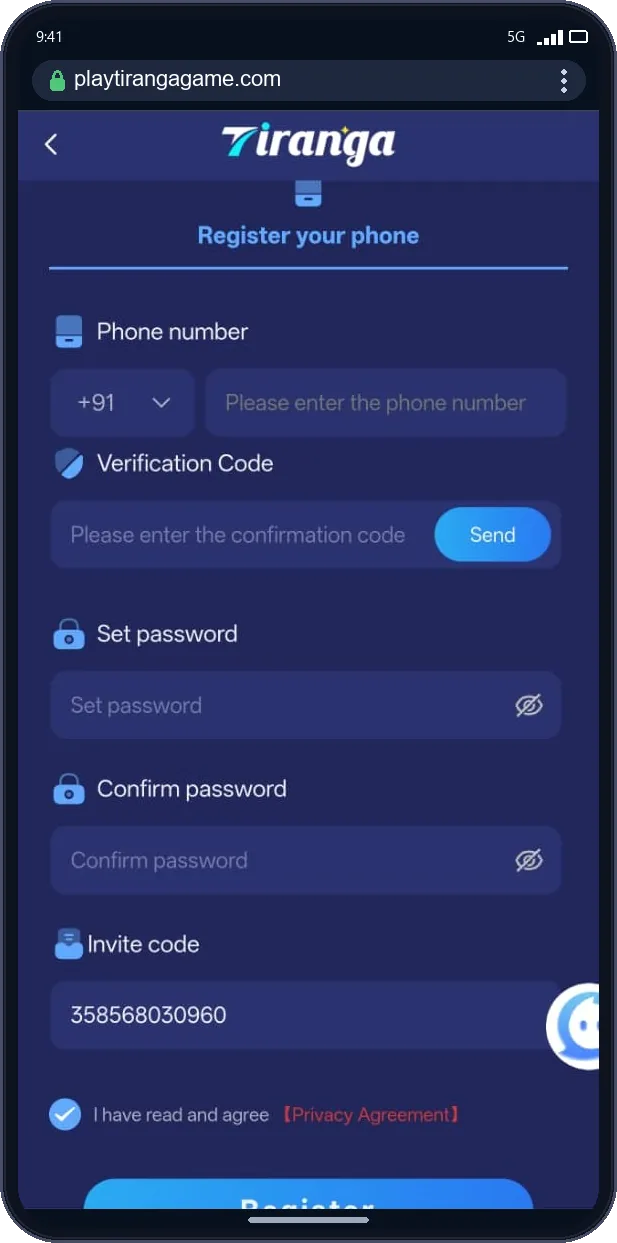
Tiranga Game register step by step
- Open the Tiranga Game register page. Use the Register button on this site or inside the app.
- Enter your phone number. +91 is already selected. Type the 10-digit mobile number.
- Tap Send for the verification code. Type the OTP from the SMS into the confirmation code box.
- Set a password and type it again in Confirm password.
- Check the invite code. If you came from a referral link it is already filled in.
- Tick "I have read and agree" to the Privacy Agreement.
- Tap Register. Your new account opens in the lobby.
Registration page fields explained
| Field | What to enter | Tip |
|---|---|---|
| Phone number | 10-digit Indian mobile with +91 | Use a number you own. It is your login and recovery |
| Verification code | OTP sent by SMS | Codes expire quickly. Request a new one if it fails |
| Set password | Your new password | Mix letters and numbers. Do not reuse your UPI PIN |
| Confirm password | The same password again | Both must match exactly |
| Invite code | Referral / register code | Optional. Links your account to the person who invited you |
| Privacy Agreement | Tick the box | Required before Register works |
Tiranga register code and invite code
People search for a Tiranga register code, Tiranga register code free or Tiranga app invite code. All of these mean the invite code field on the signup form. It is free. You never pay for a register code. If someone sells you one, it is a scam. With a code, your account is linked to an agent in the Promotion programme. Without one, the account works the same way.
Mobile registration vs app registration
You can create an account on the mobile website or inside the Tiranga Game APK. Both use the same form and the same account. If you register on the website first, you can install the app later and simply log in. The login guide shows the next screen.
Registration help: signup problems
| Problem | Fix |
|---|---|
| "Phone number already registered" | You already have an account. Use Login or Forgot password |
| OTP not received | Check signal and SMS inbox, turn off DND for promotional SMS, wait 60 s and resend |
| Register button does nothing | Tick the Privacy Agreement box and make sure both passwords match |
| Invite code invalid | Copy it again with no spaces, or leave it blank |
After you create your account
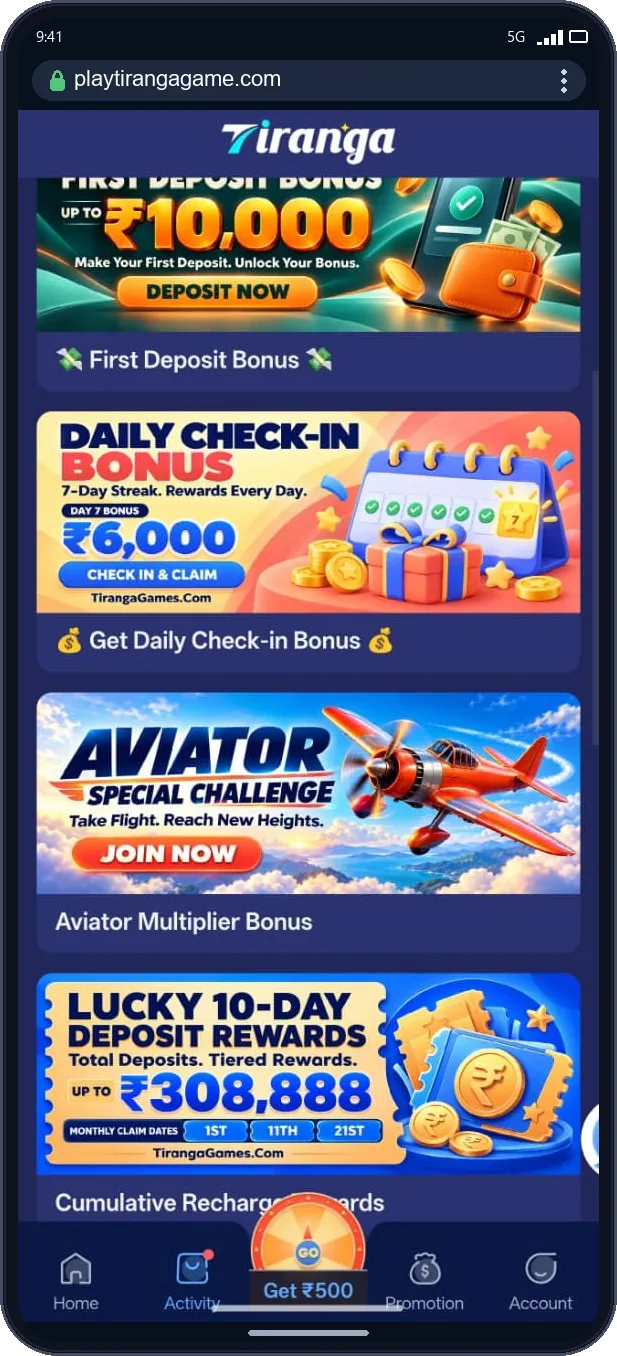
New users usually open the Activity tab first. There they see the first-deposit and daily check-in offers, then add a bank card or UPI under Withdraw for later payouts. Before your first deposit, read the account and wallet guide and decide on a spending limit.
Tiranga Game signup: quick answers
What is the Tiranga Game signup page?
The Tiranga Game signup page, also called the register page or registration page, is the form titled Register your phone. Tiranga Game sign up and Tiranga Game signup mean the same thing: enter your +91 mobile number, the OTP, a password twice and an optional invite code, then tap Register. Already registered? Use the Tiranga Game login instead.
How do I create a Tiranga Game new account?
To make a Tiranga Game new account, open Register, type your 10-digit number, request the SMS code and set a password. A Tiranga register new account takes about two minutes and is free. The same steps work for Tiranga Game mobile registration in a phone browser and inside the app, so you only ever need one account.
Is Tiranga Game create account the same as Tiranga Game game register?
Yes. Tiranga Game create account, Tiranga Game account registration, Tiranga Game game register and Tiranga signup are all searches for this one form. There is no separate app for each. Tiranga Game new user registration and Tiranga Game new user signup also use it; after Register you land straight in the lobby, and the account guide explains the next screens.
Where can I find a Tiranga Game registration guide and registration help?
This page is the Tiranga Game registration guide: the steps, every field and the common errors are listed above. For Tiranga Game registration help, check the problems table first (OTP not received, number already registered, Register button not working). If you are still stuck, the Tiranga Game support page shows how to contact in-app customer service with your phone number ready.
Conclusion
Signing up for Tiranga Game is simple: phone, OTP, password, invite code, done. Use a number you control, keep the password private and never pay anyone for a "register code". Once your account is ready, continue to the Tiranga Game app download if you want the Android app.