


Last updated: · Play Tiranga Game editorial team
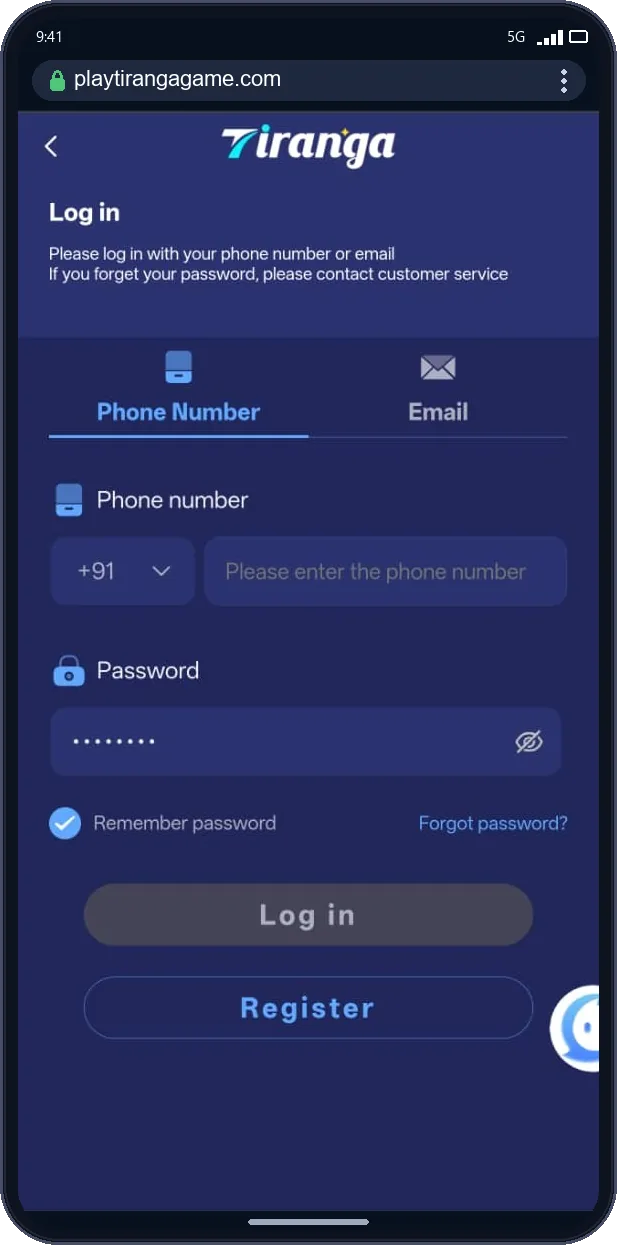
To log in to Tiranga Game, open the login page, choose Phone Number or Email, enter the password you set when you registered and tap Log in. The same sign-in page works in the Android app, on the mobile website and on a desktop browser.
Tiranga Game login step by step
- Open the official login page. Use the Login button on this site or the installed Tiranga Game app.
- Pick a tab. Choose Phone Number for a mobile login or Email if you linked an email address.
- Enter your number. Keep the +91 country code and type the 10-digit number with no spaces.
- Type your password. Tap the eye icon to check it for typing mistakes.
- Tick Remember password on your own phone only. Leave it off on a shared device.
- Tap Log in. The lobby opens with your balance at the top of the Account tab.
Ways to sign in: app, mobile website and web login
| Login method | Best for | Notes |
|---|---|---|
| Tiranga Game app login (APK) | Android users who play daily | Fastest. Stays signed in with Remember password |
| Mobile website login | iPhone and low-storage phones | Open in Chrome or Safari. Use Add to Desktop to create a home-screen icon |
| Web login on desktop | Checking history or wallet on a big screen | Same phone/email and password. The layout is the mobile view |
Searches like Tiranga login app APK, Tiranga login original apk and Tiranga register and login app all lead to the same login page. Only the place you open it from changes. If you want the app, take it from the official Tiranga Game APK download page, not from a file shared in a chat.
Forgot your Tiranga Game password?
Tap Forgot password? on the login page. You verify your phone number with an OTP and then set a new password. The login screen itself says: "If you forget your password, please contact customer service". The customer care guide explains how to reach them with your UID ready.
Login help: common errors and fixes
| Problem | What to check |
|---|---|
| "Account or password incorrect" | You may be on the wrong tab (Phone vs Email). Check the number has no leading 0 and Caps Lock is off |
| OTP never arrives | Wait 60 seconds, check SMS blocking or DND, then tap Send once more |
| Page keeps loading | Switch between Wi-Fi and mobile data, clear the browser cache or update the app |
| Logged out every time | Turn on Remember password and do not use private or incognito mode |
| Old version APK will not log in | Install the latest version of the Tiranga Game app. Older builds can stop connecting |
What you see after logging in
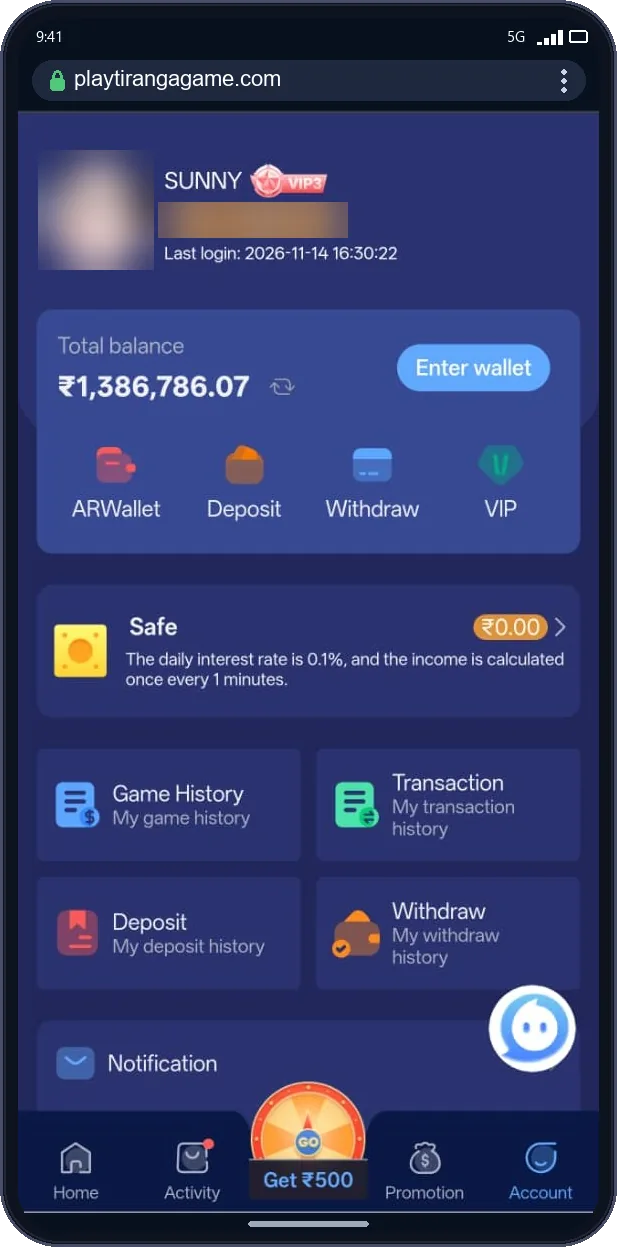
The Account tab shows your nickname, VIP badge, UID, last login time and total balance, plus shortcuts for ARWallet, Deposit, Withdraw and VIP. Below that are the Safe (daily interest of 0.1%, calculated every minute), Game History, Transaction history, Deposit history, Withdraw history and Notifications.
Keep your Tiranga Game account login safe
- Never share your password or OTP, including with someone who says they are "support".
- Check the address bar before typing your password. Lookalike sites copy the login page.
- Use a password you do not use for email or banking.
- Log out on any phone you do not own.
Tiranga Game login page: quick answers
Where is the Tiranga Game login page?
The Tiranga Game login page opens from the Login button on this site or inside the installed app. It is the same Tiranga Game website login, Tiranga Game web login and Tiranga Game online login screen: choose Phone Number or Email, enter your password and tap Log in. New here? Register first, then come back.
How does Tiranga Game mobile login work?
Tiranga Game mobile login uses your +91 number and password in the app or in Chrome or Safari. Tiranga Game game login and app login are not different accounts; whichever you use, your balance and UID stay the same. iPhone users can log in through the browser and add a home-screen icon, as the mobile guide shows.
Is there a Tiranga Game login guide for errors?
Yes, this page is the Tiranga Game login guide. For Tiranga Game login help, start with the errors table: wrong tab (phone vs email), leading 0 in the number, Caps Lock, missing OTP or an old app build. Forgot your password? Use Forgot password? and verify by OTP. Account still locked? Contact Tiranga Game customer care with your UID.
Conclusion
Tiranga Game login is quick once your account exists: phone or email, password, done. If something goes wrong, the fix is usually the wrong tab, a typo or an outdated app. If you do not have an account yet, start with the Tiranga Game registration guide.